Wix Accessibility Compliance Issues and WCAG Limitations
A LinkedIn discussion caught my attention this week. The argument: small and mid-sized businesses are better off leaving WordPress for “easier” platforms like Wix. Less complexity. Faster builds. Lower maintenance.
It’s a compelling pitch. And for some businesses, these platforms make perfect sense.
I wanted to understand what “easier” actually delivers in practice. So I looked at portfolio sites built on Wix.
What I found concerns me.
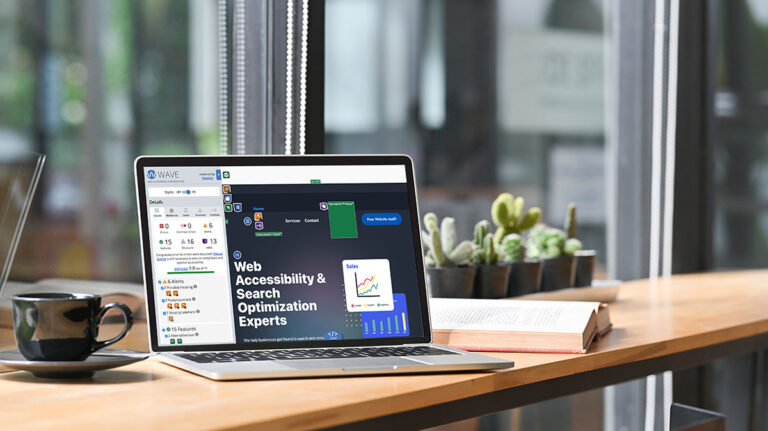
Across multiple B2B service company sites, I consistently saw:
- Broken heading structures (numerous H1 tags on a single page, improper heading hierarchy)
- Color contrast failures on navigation and key content
- ARIA implementation issues
- Missing or inadequate alt text
- Keyboard navigation problems
These aren’t minor technical details. These are fundamental issues that affect both accessibility compliance and search engine optimization.
The Knowledge Gap
Here’s what I think is likely happening: Most of these issues stem from lack of awareness, not negligence.
Many agencies and business owners simply don’t know that:
- Heading structure affects both SEO (and subsequently AI citations) and screen reader navigation
- Color contrast isn’t subjective—it’s a measurable WCAG requirement
- “Easy to build” doesn’t mean “built correctly”
- Platform disclaimers about accessibility put compliance responsibility on the business owner
And the platforms themselves make this clear. Wix’s official documentation states: “While we are always working to update and improve our products, we cannot guarantee that the use of our services is compliant with the accessibility laws and regulations of all regions.”
This isn’t a Wix-specific problem. It’s an ecosystem problem.
Why Proprietary Platforms Can’t Deliver Accessibility
This isn’t about WordPress versus Wix. It’s about what accessibility compliance actually requires.
True WCAG 2.1 AA compliance demands:
- Full control over semantic HTML structure
- Ability to customize ARIA implementation
- Manual testing with assistive technologies
- Code-level remediation of accessibility barriers
- Independent third-party validation
Proprietary platforms limit or eliminate these capabilities.
You can’t fix what you can’t access. You can’t validate what you can’t control. And when an accessibility auditor asks to review your site’s code and implementation—not just run an automated scan—you need to actually have that access.
The SEO Problem with Closed Builder Platforms
Here’s where accessibility and search optimization intersect: semantic HTML structure matters for both.
When I see sites with numerous H1 tags on a homepage, or H5 tags used as the first header, that’s not just an accessibility problem. It’s an SEO problem.
Search engines—and increasingly, AI-powered search systems—rely on proper heading hierarchy to understand content structure and context. They use H1 tags to identify primary topics, H2 tags for major sections, and H3 tags for subsections. Can you “get away” with this and not have them in order, but still get ranked highly? Sure, but your site better have an outrageous domain authority and worldwide brand recognition. And if you’re reading this, I am 99.9% sure you don’t.
When heading tags are used for visual styling instead of semantic meaning:
- Search engines can’t accurately parse your content hierarchy
- AI systems struggle to extract meaningful information for search results
- Your site’s ability to appear in AI Overviews and generated answers is compromised
- Page authority signals are diluted
Poor semantic structure isn’t just making your site harder for screen reader users to navigate. It’s making it harder for search engines and AI systems to understand what your business does and who should find you.
And unlike visual design choices, you can’t “overlay” your way out of structural HTML problems.
The Overlay Trap
Some agencies respond to accessibility concerns by recommending overlay solutions like AccessiBe. This is actually worse than doing nothing.
Overlays don’t remediate underlying code issues. They add another layer on top of broken code—a layer that often creates additional barriers for the assistive technology users it claims to help.
Disability rights organizations explicitly condemn overlays. The National Federation of the Blind, WebAIM, and the International Association of Accessibility Professionals have all published statements against them.
And yet they’re being sold to businesses as “accessibility compliance” because they’re easy to install and generate recurring revenue.
This isn’t solving the problem. It’s monetizing ignorance.
What B2B Service Companies Actually Need
For professional service firms—consulting, real estate development, financial services, legal practices, and yes, manufacturing—accessibility isn’t optional.
These companies face:
- Legal exposure (ADA Title III lawsuits targeting service providers)
- Government contract requirements (many mandate WCAG compliance)
- Client requirements (larger organizations requiring vendor accessibility)
- Insurance requirements (policies increasingly mandate accessibility audits)
- Professional credibility (accessible sites signal attention to detail and compliance)
A consulting firm losing a contract over accessibility non-compliance doesn’t care that their website was “easy to build.”
And it’s not just about compliance risk. It’s about business reach. One in four adults in the U.S. has a disability. Color contrast issues alone can exclude customers with color blindness, low vision, or age-related vision changes—conditions that affect millions of potential clients.
The Ownership Question
Strip away the technical arguments. Here’s the fundamental choice:
Do you want to own your website or rent it?
With WordPress (done correctly):
- You own the code
- You own the content
- You can export everything
- You can switch agencies without rebuilding
- You have full access for compliance audits
With proprietary platforms:
- You rent functionality
- You’re locked into their ecosystem
- Export options are limited or non-existent (the number of times I’ve seen a “screen scrape” to capture content needed is unnerving; check out WordPress’ own link on Wix to WordPress migrations)
- Switching platforms means rebuilding from scratch
- You’re dependent on their compliance claims
The cost over 5 years is roughly the same. But one ends with ownership. The other ends with starting over.
Bad WordPress Is Real
The original LinkedIn discussion isn’t entirely wrong. Bad WordPress development is a nightmare:
- Tens of poorly-chosen plugins with overlapping functionality
- No documentation or handoff materials
- No staging environment for testing
- Complete developer dependency for basic changes
- Sites that break with routine updates
But this is agency competency, not platform limitation.
WordPress done right means:
- 8-12 well-maintained and vetted plugins solving specific needs
- Documented architecture with clear handoff materials
- Staging/testing workflow preventing broken updates
- Accessibility-first development from the ground up
- Ability for the agency to deliver compliance audits
- Admin dashboard guides and FAQs for common tasks
- Training and support for non-technical users
This isn’t complexity. It’s professionalism.
Any good WordPress partner can create documentation and training materials. Many can even build custom admin dashboard guides that walk users through common updates—making WordPress as “easy” as proprietary platforms for day-to-day tasks, while maintaining the ownership and control that B2B companies need.
The Pattern
The case for proprietary platforms often centers on ease of use and reduced complexity. There’s truth there for certain use cases; these platforms solve real problems.
But when accessibility and long-term ownership are requirements, the arguments break down:
On update control: WordPress sites with proper documentation and staging environments don’t break with updates. Poorly-configured sites without testing workflows do. The platform isn’t the variable; the development practice is.
On vendor lock-in: “Easy” platforms make initial setup simple. But when you need functionality they don’t support, or their pricing changes, or you need to migrate, you’re starting over. The “ease” is front-loaded. The complexity comes later.
On platform cleanliness: Fewer moving parts means fewer things that can break—until you need something the platform doesn’t offer. Then you’re either stuck or rebuilding.
There’s a place for platforms like Wix. For businesses without complex requirements, without compliance obligations (though these are few and far between), or the need for future portability, they work fine.
But you can’t skip accessibility compliance because it’s easier to do so. Not when a quarter of your potential clients may be unable to use your site. Not when poor semantic structure undermines your SEO and AI search visibility.
What This Actually Reveals
The conversation about “easy” platforms reveals something important about the current state of web development:
Most agencies don’t understand accessibility as a technical discipline.
They see it as a checkbox. A widget to install. A setting to toggle. Something automated scanning can verify.
This is like saying you understand structural engineering because you’ve used a level.
Accessibility requires expertise: understanding assistive technologies, manual testing protocols, WCAG success criteria, semantic HTML implementation, ARIA patterns, and how to actually remediate barriers in code.
The “easy” platforms aren’t solving this expertise gap. They’re hiding it.
The Content Opportunity
If you’re reading this as a marketing professional, here’s the uncomfortable truth: your website might be a legal liability you don’t know you have.
And the agency that built it might not have the expertise to even recognize the problem, let alone fix it.
The questions you should ask:
- Can you demonstrate WCAG 2.1 AA compliance through manual testing?
- Has your site been audited by someone with Trusted Tester certification?
- Can you export your entire site with full functionality intact?
- If you need to switch agencies, can the next team take over without rebuilding?
- If you face an accessibility lawsuit, can you prove remediation efforts?
If the answer to any of these is “I don’t know,” you have work to do.
Our Position
SANscript isn’t here to defend WordPress as a platform. We’re here to defend proper accessibility implementation and business ownership.
For B2B service companies that need accessibility compliance and can’t afford to rebuild every few years, WordPress done right is often the lowest-risk option.
Not because it’s “easy.” Because it delivers what businesses actually need: compliance capability, ownership, and the ability to prove both when it matters.
The conversation shouldn’t be about which platform is easier to use. It should be about which approach protects the business and serves all customers, which includes the 25% with disabilities who can’t use inaccessible websites, and the search engines and AI systems that can’t properly index sites with poor semantic structure.
That’s not complexity. That’s responsibility.
About SANscript: We help B2B companies get found in search and remove barriers that cost sales. Our services combine web accessibility compliance, AI-powered search optimization, and WordPress development. We specialize in serving manufacturing and professional service firms who need both compliance and results. We don’t believe in shortcuts that create long-term problems.
Want to learn more about us? Check out our packages or schedule call today!