
Why “Alt Text Present” Doesn’t Mean Accessible
Your accessibility scanner just gave you good news: “✓ All images have alt text.” Your compliance dashboard shows 95% compliant. You breathe a sigh of relief.
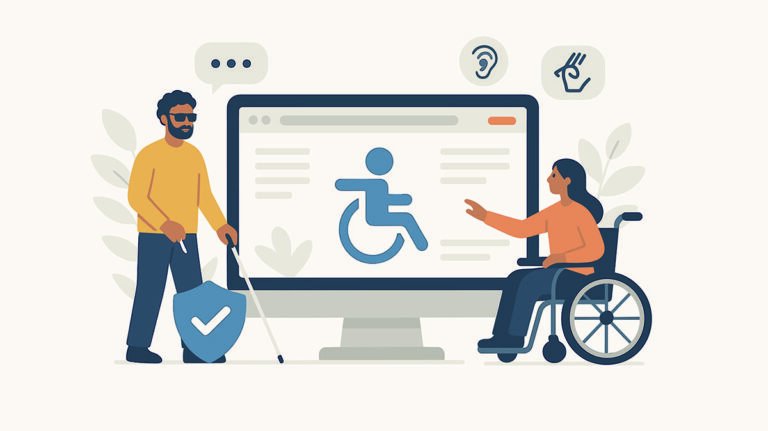
SANscript’s CEO, AJ Niehaus, lands on your site. She’s legally blind and uses screen readers every day. She’s trying to look at your precision CNC machine. The alt text reads: “product manufacturing CNC industrial equipment solutions.”
The scanner sees alt text present. AJ hears a string of SEO keywords. She still has no idea what machine she’s looking at or what it does.
Your site passed the test. But it’s still unusable.
The Automated Testing Blind Spot
I’ve seen this pattern over and over. Companies run automated accessibility scans, get a clean report, and assume they’re done. The problem is that automated tools check for one thing: is alt text present?
What they don’t check:
- Is it meaningful?
- Does it provide context?
- Would a screen reader user understand the image from this description?
According to WebAIM’s 2025 Million Report, 94.8% of the top one million homepages have detectable WCAG failures. Yet many of these companies believe they’re compliant because their automated tools told them so.
Here’s the gap: automated scanners can detect about 25-30% of WCAG success criteria. The remaining 70-75% require human judgment. Alt text quality is squarely in that 70-75% range.
What “Alt Text Present” Actually Looks Like
When I review sites (or when AJ tries to use them), here’s what passes automated scans but fails real users:
Example 1: Keyword Stuffing (Manufacturing)
Alt text says: “product manufacturing CNC industrial equipment solutions”
What the image actually shows: Model XL-400 CNC lathe with automatic tool changer
What happens:
- Automated scanner: ✓ Alt text present
- Screen reader user: Hears that keyword mess, learns nothing useful
- Google & AI search engines: Flag as spam, hurt your rankings, AND exclude you from AI Overviews
Example 2: Keyword Stuffing (B2B Software)
Alt text says: “enterprise software business solutions cloud platform SaaS technology digital transformation”
What the image actually shows: Analytics dashboard showing monthly revenue trends
What happens:
- Automated scanner: ✓ Alt text present
- Screen reader user: Hears repetitive keywords, doesn’t know what the screenshot actually displays
- Google & AI search engines: Penalize for keyword stuffing, won’t cite your content in AI-generated answers
Example 3: Filename as Alt Text
Alt text says: “IMG_20240315_final_v2_cropped.jpg”
What the image actually shows: Your leadership team at a company event
What happens:
- Automated scanner: ✓ Alt text present
- Screen reader user: Has no idea who these people are or why this image matters
- Google & AI search engines: Miss opportunity to understand image content, reduce your authority signals
Example 4: Generic Descriptions
Alt text says: “product image”
What the image actually shows: XL-400 CNC lathe with control panel and tool magazine
What happens:
- Automated scanner: ✓ Alt text present
- Screen reader user: Knows there’s a product, has no idea which one or what it does
- Google & AI search engines: Get no useful information, can’t confidently cite or recommend your content
Why This Matters
Most companies don’t realize they have accessibility problems until someone tells them — whether that’s a user complaint, a lawsuit, or (rarely) actually testing with real users.
Meanwhile:
- 25% of their potential customers have disabilities
- When those customers can’t use the site, they leave
- The company sees a bounce in analytics but never knows why
AJ doesn’t send an email saying, “your alt text was keyword-stuffed so I couldn’t shop.” She just closes the tab and tries a competitor.
You lose the sale. You never see the context of her bounce in your analytics — which is why it’s better to get this right from the start.
Do Automated Checkers Catch This?
Some tools claim to check alt text quality, not just presence. Let’s look at what they actually do:
Yoast SEO and similar plugins:
- Check if alt text is present ✓
- Check if it contains your focus keyword ✓
- Do NOT evaluate if it’s meaningful or contextually appropriate ✗
AI-powered alt text generators:
- Can describe what’s visually in an image
- But struggle with context (“Is this product image decorative or should it describe features?”)
- Can’t determine what matters to YOUR users
From my research: even the best AI tools still require human review. They might generate “golden retriever running through leaves” instead of just “dog” — but they can’t tell you if that level of detail is what your users need, or if “decorative autumn scene” would be better for your specific context.
The bottom line: These tools can help, but they’re not a replacement for human judgment about what information actually matters to your users. At least not yet.
What Actually Works
Automated tools are a starting point, not the finish line. They catch the easy stuff: missing alt attributes, broken link text, color contrast failures.
But meaningful accessibility requires:
1. Manual Testing Have someone review your alt text. Better yet, test with actual screen reader users. Would they understand your images from the descriptions alone?
2. Context-Aware Descriptions The same image needs different alt text depending on context. A product photo on a category page might be “CNC lathe, model XL-400.” On a technical specs page, it might be “XL-400 lathe showing tool magazine and control panel.”
3. Human Judgment Is this image decorative (alt=””) or informative (descriptive alt text)? Is keyword-stuffed text actually helpful, or is it spam? Automated tools can’t make those calls.
4. Ongoing Testing New content gets added. Images change. Old descriptions become outdated. One audit isn’t enough.
The Real Test
Before you trust your accessibility scan results, ask yourself this:
If someone using a screen reader landed on your site right now, would they be able to understand your images? Would they know what your products look like, what your services do, what your team photos show?
If the answer is “I’m not sure,” your automated scan score doesn’t matter.
Not sure if your site passes the real test? Our free website audit overview includes manual testing, not just automated scans. We check if your alt text is actually meaningful — the way your customers with disabilities will experience it.
Note: This is a starter audit focusing on key accessibility issues, not a comprehensive WCAG compliance review.